Draveliqor
Luma Guide
Luma Guide
Couldn't load pickup availability
1. Problem Statement — When the Answers Are Hidden Among the Records
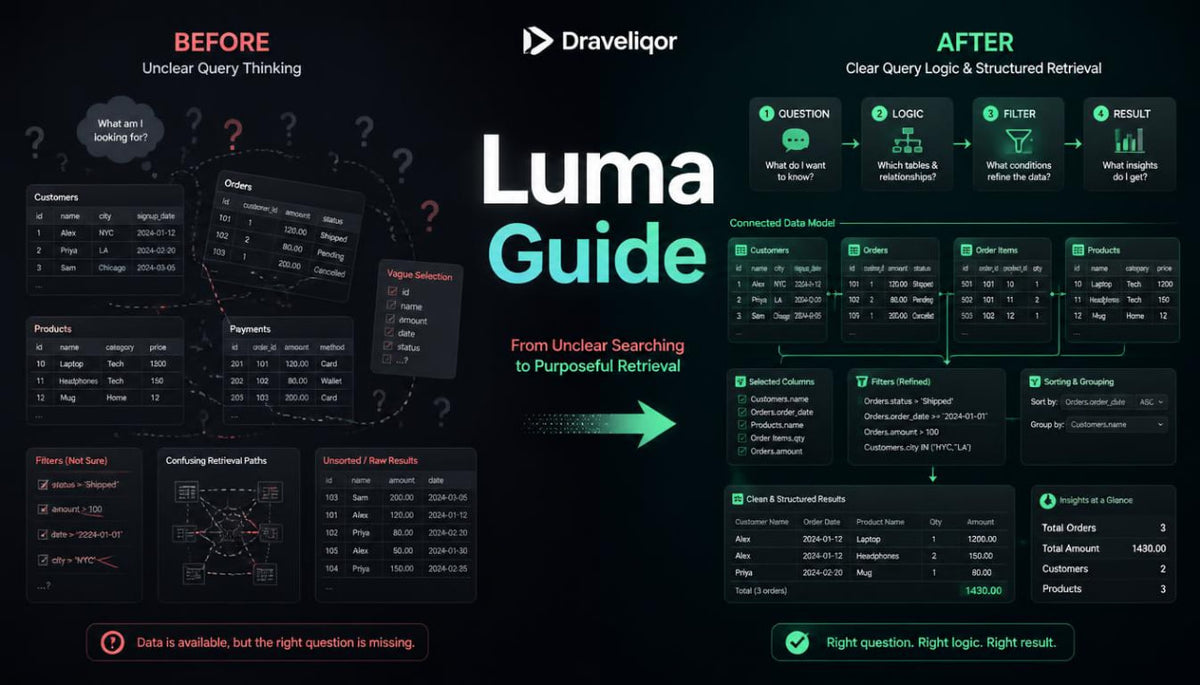
A database may contain thousands of organized records, yet finding relevant information requires more than understanding how tables are connected. Readers often encounter difficulties when translating ordinary questions into precise conditions that identify particular values, categories, or relationships. Filtering information, arranging results, and comparing records can become confusing when several conditions must be considered together. Even a well-organized database may produce unexpected results when the logic behind a query is incomplete or interpreted incorrectly. Understanding how database queries are constructed provides a foundation for examining information systematically and recognizing how individual conditions influence the results.
2. Solution — Giving Every Question a Structure
Luma Guide introduces database query concepts through a carefully arranged sequence of explanations, worked examples, and independent learning activities. Readers begin with simple information requests before exploring filtering conditions, sorting rules, calculations, and relationships between tables. Each module examines how a particular query component influences the information returned from a structured collection of records. Practical exercises invite learners to interpret sample queries, identify logical differences, and construct written retrieval instructions for fictional databases. The course brings these concepts together in a concluding activity centered on examining and organizing information from several related tables.
3. What's Inside — Following the Logic from Question to Result
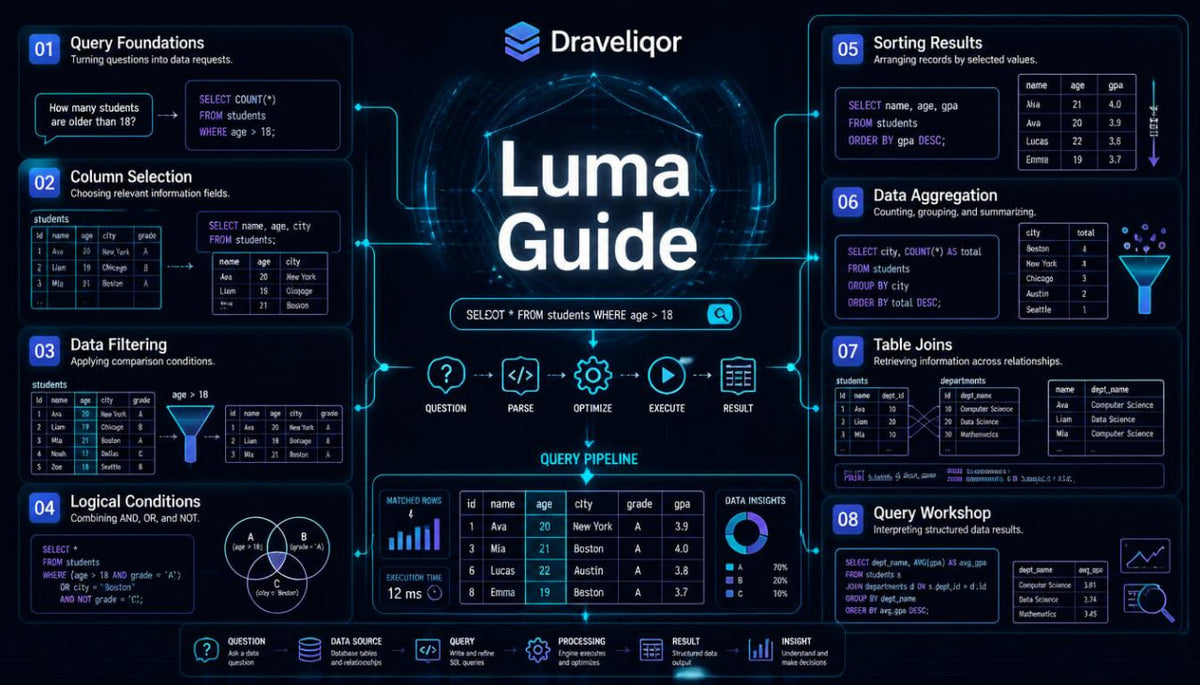
Luma Guide contains eight learning modules that examine the foundations of database query construction and information retrieval.
The course uses fictional catalogs, activity records, inventory collections, and other structured examples to demonstrate how queries operate.
Each module introduces terminology, explains individual concepts, and includes exercises that encourage readers to examine the relationship between query instructions and returned information.
Module 01 — A Question Becomes a Query
Every information request begins with deciding what needs to be found.
This opening module introduces the structure of a database query and explains how a question written in ordinary language can be represented through defined instructions.
Readers examine examples involving catalogs of books, scheduled activities, and collections of recorded transactions.
The lessons distinguish the information being requested from the conditions used to locate it.
Topics covered:
-
Purpose of database queries
-
Identifying relevant tables
-
Selecting requested fields
-
Query structure and terminology
-
Translating written questions into retrieval instructions
Practical activity: Examine ten fictional information requests and identify the fields, tables, and conditions needed to answer each question.
Module 02 — Choosing the Right Columns
Not every field in a table needs to appear in a query result.
This module explores how specific columns can be selected to present relevant information without including unrelated details.
Readers compare broad record retrieval with more focused selections.
The lessons also introduce column labels and discuss how descriptive names contribute to the readability of query results.
Examples demonstrate how changing the selected fields affects the information displayed while leaving the underlying records unchanged.
Topics covered:
-
Column selection
-
Field references
-
Result structure
-
Descriptive column labels
-
Selecting multiple fields
-
Reading returned records
Practical activity: Prepare several field-selection instructions using a fictional collection of library records.
Module 03 — Filtering the Noise
A database query often needs to identify records that meet particular conditions.
This module introduces filtering and the logical comparisons used to distinguish matching records from those that do not meet the criteria.
Readers examine equality, inequality, numerical comparisons, and conditions involving dates or descriptive values.
Examples demonstrate how a change in one comparison condition can alter the records included in a result.
The module emphasizes interpreting each condition before combining several conditions within one query.
Topics covered:
-
Filtering conditions
-
Comparison operators
-
Numerical boundaries
-
Text comparisons
-
Date conditions
-
Matching and nonmatching records
Practical activity: Review a sample catalog and construct filtering instructions for different information requests.
Module 04 — When Conditions Intersect
Some database questions require several conditions to be considered simultaneously.
This module explores the reasoning behind combined query conditions and introduces logical operations used to describe alternative or simultaneous requirements.
Readers compare situations in which every condition must be satisfied with situations where satisfying one condition is sufficient.
The lessons also examine grouping conditions through parentheses and explain why evaluation order matters.
Illustrated examples demonstrate how logically similar instructions can produce different results when conditions are arranged differently.
Topics covered:
-
Combining conditions
-
Logical AND and OR
-
Negation
-
Grouped comparisons
-
Condition precedence
-
Evaluating compound expressions
Practical activity: Compare several compound conditions against a fictional dataset and identify which records satisfy each expression.
Module 05 — Putting Results in Order
Retrieving the correct records is only part of an information request.
The order in which results appear can also influence how readers interpret them.
This module introduces sorting methods and examines ascending and descending arrangements for numerical, textual, and date-based information.
Readers explore situations where one sorting field is insufficient and an additional field is needed to establish a clear sequence.
The lessons also introduce duplicate values and the distinction between repeated result rows and distinct entries.
Topics covered:
-
Sorting retrieved records
-
Ascending and descending order
-
Sorting by multiple fields
-
Handling repeated values
-
Distinct result entries
-
Result presentation
Practical activity: Arrange sample activity records using several sorting instructions and compare the resulting sequences.
Module 06 — Reading Patterns Through Calculations
Some database questions concern collections of records rather than individual entries.
This module introduces calculations that summarize information, including counting records and examining numerical totals or averages.
Readers explore how aggregation works and why the meaning of a calculation depends on the records included.
The lessons demonstrate how records can be grouped by categories before summary values are calculated.
Examples also examine the distinction between filtering individual records and filtering grouped results.
Topics covered:
-
Counting records
-
Numerical totals
-
Average values
-
Minimum and maximum values
-
Grouping information
-
Conditions applied to grouped results
Practical activity: Examine fictional attendance records and prepare summary questions for different activities, dates, and categories.
Module 07 — Queries Across Connected Tables
Information needed for one question may be distributed across several tables.
This module builds on introductory relationship concepts by exploring how related records can be combined during retrieval.
Readers examine how identifiers connect records and how those connections determine which information appears together.
The lessons introduce inner joins and left joins through simplified examples involving readers, books, and borrowing records.
Special attention is given to records without matching references and how different joining methods treat them.
Topics covered:
-
Multi-table retrieval
-
Join conditions
-
Inner joins
-
Left joins
-
Matching identifiers
-
Unmatched records
-
Interpreting combined results
Practical activity: Study three connected tables and determine which records would appear under different joining conditions.
Module 08 — The Information Inquiry Workshop
The closing module combines field selection, filtering, sorting, aggregation, and table relationships into one practical study activity.
Readers work with a fictional community workshop database containing information about participants, sessions, instructors, and attendance.
The workshop begins with identifying the information needed to answer several organizational questions.
Learners then select relevant tables, define conditions, and prepare query outlines for individual and combined records.
The final review encourages readers to compare expected results with sample outputs and explain differences.
Topics covered:
-
Interpreting information requests
-
Planning retrieval instructions
-
Combining query components
-
Reviewing logical conditions
-
Comparing expected and actual results
-
Documenting query reasoning
Practical activity: Develop a collection of written queries and result interpretations for a connected fictional database.
Additional Learning Materials — A Closer Look at Query Reasoning
Luma Guide includes supporting explanations and exercises that reinforce the ideas introduced throughout the modules.
The materials feature sample tables, worked query examples, interpretation questions, and activities involving comparison of alternative instructions.
Readers are encouraged to explain why a condition matches particular records and how modifying an instruction affects the result.
A terminology reference brings together key concepts related to selection, filtering, grouping, sorting, and joins.
The course concludes with a review activity that revisits the relationship between database structure and information retrieval.
4. Who Is This For? — Curious Minds Behind the Queries
Luma Guide is intended for readers who understand introductory database structures and want to examine how organized information can be retrieved.
It may be suitable for students studying relational database concepts, independent learners exploring query construction, or individuals interested in the logic behind structured information requests.
Familiarity with tables, fields, records, and basic relationships is recommended.
Previous experience with advanced query techniques is not required.
Readers who have completed introductory database study may use Luma Guide to explore filtering, sorting, grouping, and multi-table retrieval in greater detail.
The learning activities emphasize reasoning, interpretation, and the practical application of query concepts.
5. What You'll Learn — Questions, Conditions, and Meaningful Results
Through the Luma Guide materials, readers can explore the following knowledge areas and practical skills:
-
Explain the purpose and structure of database queries.
-
Identify relevant tables and fields for an information request.
-
Translate ordinary questions into structured retrieval instructions.
-
Select individual columns from sample database records.
-
Construct basic filtering conditions.
-
Interpret equality, inequality, and numerical comparisons.
-
Combine conditions using logical operations.
-
Recognize how grouped conditions influence query results.
-
Arrange retrieved records using sorting rules.
-
Apply secondary sorting conditions when needed.
-
Distinguish repeated result rows from distinct entries.
-
Explain the purpose of record-counting and summary calculations.
-
Interpret grouped information and aggregate values.
-
Describe the difference between filtering records and grouped results.
-
Recognize how identifiers connect records across tables.
-
Interpret introductory inner and left joins.
-
Examine why a query may return unexpected records.
-
Review sample query outputs and identify logical differences.
-
Prepare structured query outlines for fictional information collections.
The learning objectives describe topics addressed in the course and activities intended for independent practice.
Readers can revisit earlier modules when examining more detailed query examples.
6. 30-Day Refund Terms — Purchase Information
Luma Guide is a paid educational course within the Draveliqor collection.
A 30-day money-back option may apply to eligible purchases according to the conditions stated in the store's published Refund Policy.
Where the policy provides a 30-day request period, customers may submit a refund request within 30 calendar days of the purchase date.
Self-paced learning overview
- 📦 Digital file available after purchase
- 🔄 Long-term availability
- 🛡️ Secure checkout
- 🔄 Content updated in 2026
What subjects are covered in Draveliqor courses?
What subjects are covered in Draveliqor courses?
Draveliqor courses explore database concepts, information organization, data relationships, query structures, and practical data management methods. Each course follows a defined topic sequence, with learning materials arranged around explanations, examples, and exercises.
Do I need previous database knowledge before enrolling?
Do I need previous database knowledge before enrolling?
The recommended background depends on the course. Introductory materials explain foundational concepts, while later courses examine more detailed database structures and workflows. Reviewing the course description can help you select a suitable starting point.
What learning materials are included in each course?
What learning materials are included in each course?
Course content is organized into written lessons, topic explanations, illustrated examples, practical activities, and review questions. The specific subjects and activities are described in each course outline.
Share